JamesOakes01
Docker Compose Lab: WordPress
This is my write-up for the Docker Compose Lab for CYB-3353: Systems Administration
Step 1: Open VM
I used Vmware Workstation Pro to open an Ubuntu VM.
Step 2: Install Docker Compose
- Update and upgrade your packages before installing something new with:
sudo apt updateandsudo apt upgrade - Docker compose is now a standard part of docker. Install docker with:
sudo apt install docker.io
Step 2: Create a directory for WordPress
Create with
mkdir wordpress
Step 3: Change current directory to the new one
cd wordpress
Step 4: Create docker-compose.yml file
nano docker-compose.yml
Add the following to the docker compose yml file:
services:
  db:
    # We use a mariadb image which supports both amd64 & arm64 architecture
    image: mariadb:10.6.4-focal
    # If you really want to use MySQL, uncomment the following line
    #image: mysql:8.0.27
    command: '--default-authentication-plugin=mysql_native_password'
    volumes:
      - db_data:/var/lib/mysql
    restart: always
    environment:
      - MYSQL_ROOT_PASSWORD=somewordpress
      - MYSQL_DATABASE=wordpress
      - MYSQL_USER=wordpress
      - MYSQL_PASSWORD=wordpress
    expose:
      - 3306
      - 33060
  wordpress:
    image: wordpress:latest
    volumes:
      - wp_data:/var/www/html
    ports:
      - 80:80
    restart: always
    environment:
      - WORDPRESS_DB_HOST=db
      - WORDPRESS_DB_USER=wordpress
      - WORDPRESS_DB_PASSWORD=wordpress
      - WORDPRESS_DB_NAME=wordpress
volumes:
  db_data:
  wp_data:
Save and close
Step 5: Start Docker Compose
run
docker compose up -d
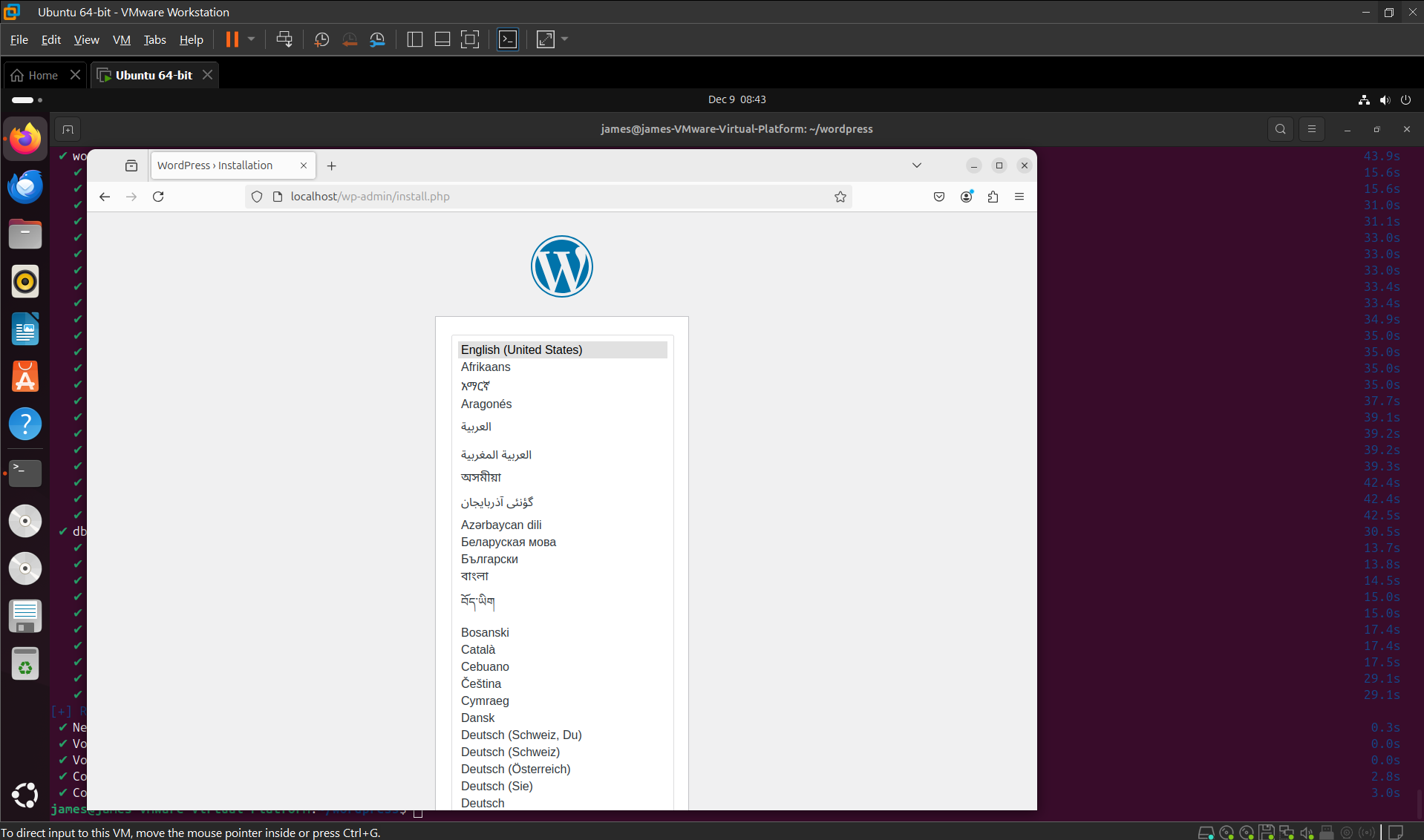
Step 6: Verify WordPress is working
- Open a web browser in the VM.
- Go to localhost
- If the wordpress site is there, then success.
Issues encountered:
I encountered some odd issues with this process. I took almost double the time it took to do everything else as I took to troubleshoot this issue. Whenever I ran docker compose up -d it would report an unknown flag. I would then remove it and it would then say unknown command compose. I was very confused by this and it took quite some time to get everything sorted out. It seems like the version of ubuntu that I was using was too new or something because the version noble that I was using wouldn’t work. I had to manually install docker compose add ons and utils by using the older jammy version. This took about 45 minutes to solve.
Documentation followed:
As suggested in the assignment, awesome-compose github was a great resource. https://github.com/docker/awesome-compose
Specifically, I followed the guide at: https://github.com/docker/awesome-compose/blob/master/official-documentation-samples/wordpress/README.md